


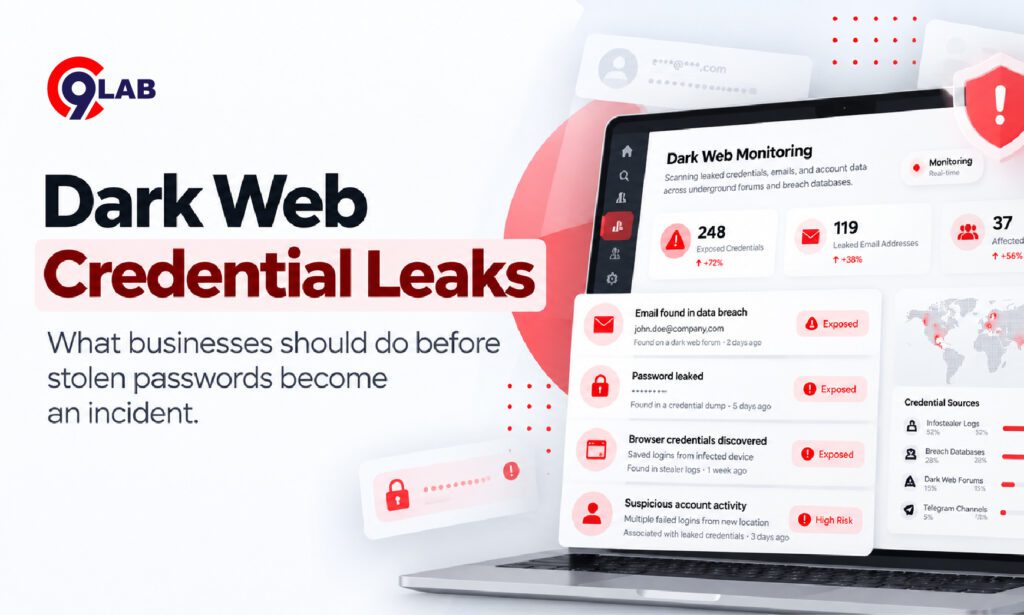
A finance employee uses the same password for a personal shopping account and their work email.
Months later, the shopping website is breached.
The employee changes nothing because the company itself was never hacked.
Then someone tries the leaked password against Microsoft 365.
That is the problem with dark web credential leaks: your business does not have to suffer the original breach for your accounts to become exposed.
Where do leaked credentials actually come from?
When people hear “dark web,” they often imagine attackers manually breaking into a company and publishing passwords.
The reality is broader.
Credentials can be stolen through:
- Data breaches
- Phishing pages
- Password-stealing malware
- Malicious browser extensions
- Compromised personal devices
- Reused passwords from unrelated services
- Stolen browser cookies and session tokens
Microsoft reported in February 2026 that modern infostealer malware is increasingly targeting Windows, macOS and other environments. These tools can collect browser passwords, authentication cookies, cloud credentials, developer secrets and financial information. Microsoft
Once stolen, that information may be traded or shared through criminal forums, marketplaces, messaging channels or private attacker infrastructure.
So “dark web monitoring” is really about finding evidence that credentials linked to your organisation have escaped your control.
Why can one leaked password become a business problem?
Attackers know that people reuse passwords.
That makes leaked credentials useful even when they came from another website.
One common technique is credential stuffing.
Instead of guessing passwords, attackers automatically test username-and-password combinations that have already been stolen elsewhere.
CERT-In’s August 2026 advisory on Microsoft 365 specifically warned that malicious actors are using previously compromised credentials for credential-stuffing attacks. It also highlighted password spraying, device-code phishing, stolen session tokens and Business Email Compromise. CERT-In
If one combination works, the attacker may gain access to email, cloud storage or collaboration systems.
From there, the incident can become much larger.
A compromised mailbox may be used to reset other passwords, impersonate employees or send convincing messages to customers and vendors.
The leaked password is often only the beginning.
What makes credential leaks harder to manage now?
Passwords are no longer the only thing attackers want.
Modern infostealers also target:
- Browser cookies
- Session tokens
- Stored login data
- API keys
- Cloud credentials
- Developer secrets
- VPN access
This matters because a stolen session token may allow an attacker to reuse an already authenticated session.
In some cases, that can reduce the protection offered by a password reset or even MFA.
CERT-In has warned that attackers targeting Microsoft 365 are stealing authenticated session tokens and cookies through infostealer malware and other techniques. It recommends monitoring for unusual sign-ins, suspicious mailbox rules, OAuth abuse and abnormal device registrations. CERT-In
Microsoft’s July 2026 research also documented malware designed to steal browser session cookies, saved passwords, Microsoft 365 SSO tokens and Wi-Fi credentials. Microsoft
That is why businesses should think beyond:
“Did an employee password appear in a leak?”
The better question is:
“What access could an attacker gain using the leaked data?”
A simple business example
Imagine an employee at a 70-person services company downloads what looks like a free PDF converter.
The software works.
However, it also contains an information stealer.
The malware quietly copies saved browser passwords and session data from the employee’s laptop.
The attacker now has credentials linked to the employee’s business email and cloud services.
Later, the company sees an unusual login.
By then, the attacker may already have accessed email conversations or internal documents.
Microsoft documented a similar pattern in 2025 involving a malicious application masquerading as a PDF tool. The malware accessed browser data, including cookies, session information and credential caches. Microsoft
The employee did not intentionally share a password.
The credential leak happened in the background.
What should you do when credentials are exposed?
The first step is not simply:
“Change the password.”
That may be necessary, but it may not be enough.
1. Identify what was exposed
Determine whether the exposure includes:
- Email address only
- Username and password
- Corporate VPN credentials
- Session cookies
- API keys
- Cloud credentials
This tells you how urgent the response should be.
2. Reset affected credentials
If a current password is exposed, change it immediately.
Also check whether the same password was used anywhere else.
Employees should use unique passwords for business systems. A password manager can make this much easier.
3. Revoke active sessions
If there is any chance that session tokens or browser cookies were stolen, sign the user out of existing sessions.
Simply changing the password may not terminate every active session.
4. Review login activity
Look for:
- Unusual locations
- Unknown devices
- Multiple failed logins
- Unexpected mailbox rules
- New MFA registrations
- Suspicious OAuth permissions
CERT-In specifically recommends threat hunting across identity, email, OneDrive, SharePoint and Teams logs when compromised credentials are suspected. CERT-In
5. Strengthen MFA
CISA recommends phishing-resistant MFA for important services such as email, VPN access and privileged accounts. It also recommends credential-monitoring services that look for compromised credentials on underground markets. CISA
MFA is not perfect, but it makes a stolen password much less useful on its own.
Do not wait for an attacker to use the password
Many businesses investigate credentials only after an account takeover.
That is backwards.
If you discover exposed credentials before they are used, you have an opportunity to reset passwords, revoke sessions and investigate devices before the issue becomes an incident.
CERT-In’s June 2026 FortiGate warning showed why this matters. It reported a large-scale exposure involving working administrator and VPN credentials tied to internet-facing devices. The leaked data included usernames, email addresses and plaintext passwords. CERT-In
Credentials have value because they provide access.
The earlier you detect exposure, the less useful that access becomes to an attacker.
Where QSafe fits
This is where QSafe DRPS connects naturally with the problem.
QSafe’s dark web and credential exposure monitoring helps organisations look for company-related credentials appearing outside their controlled environment.
Instead of waiting for an employee to report suspicious activity, security teams can use external exposure signals to identify accounts that may require investigation.
That can help teams:
- Identify exposed corporate credentials
- Prioritise higher-risk accounts
- Start password resets sooner
- Investigate related incidents
- Monitor for further external exposure
For MSMEs without a large SOC, this provides a practical way to add visibility without manually searching criminal forums and underground channels.
The key takeaway
A credential leak does not automatically mean your company has been breached.
But it does mean someone may now possess information that could be used against your business.
Treat exposed passwords, tokens and access credentials as security events, not just password-management problems.
Detect them early, verify what was exposed and remove the attacker’s opportunity before stolen access turns into a larger incident.




Comments
Join the discussion. We’d love to hear your thoughts.