


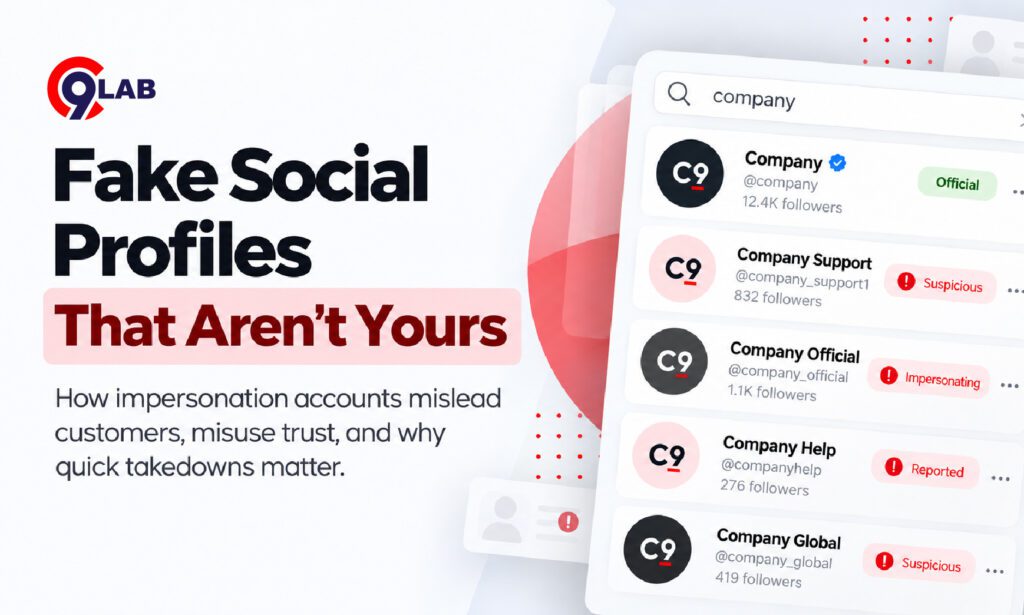
A customer messages your support team with a screenshot:
“Is this really your Instagram account?”
The profile uses your company logo. The bio looks familiar. It has copied recent posts and is promoting an “exclusive offer” through a payment link.
Your real account has not been hacked.
But to the customer, the fake one may look real enough.
That is the challenge with fake social media profiles: attackers do not need access to your systems to misuse your reputation.
Why fake social media profiles matter to businesses
A fake profile can do more than copy a logo.
Scammers may use impersonation accounts to approach customers, employees, vendors or job seekers. They may ask for money, personal data, credentials or payments through fraudulent links.
CERT-In’s guidance on social media fraud notes that fake profiles can be used to spread false information, contact a victim’s connections for financial gain and damage reputation. CERT-In
India’s National Cyber Crime Reporting Portal also treats fake or impersonating profiles as a category of social-media-related cybercrime. The portal allows suspicious social media URLs and other identifiers to be reported for further analysis. Cyber Crime Portal
For a business, the issue is therefore not simply “someone copied our page.”
It can become a fraud, customer trust and brand protection problem.
What does a fake business profile usually look like?
Most impersonation accounts borrow enough familiar details to appear believable.
They may copy:
- Your logo and profile image
- Company description
- Product photographs
- Recent social posts
- Employee names
- Website content
- Promotional campaigns
Then they change one small detail.
For example, the username may use an extra underscore, a swapped letter or an additional word such as “support,” “offers” or “care.”
LinkedIn lists duplicate profiles, unverifiable executive identities, suspicious requests for money or sensitive information and inconsistent profile details among signs that an account may be fake. LinkedIn
X also prohibits deceptive impersonation of people, groups and organisations. Its policy specifically covers accounts designed to confuse users about the identity behind them. X Help Center
However, businesses should not rely on one clue alone.
A newly created profile with few followers may be legitimate. A fake account may also look polished and active.
The better question is:
Is this account presenting itself as officially connected to our organisation when it is not?
A simple business example
Imagine a healthcare company with an active LinkedIn presence.
A fake profile appears using the name and photograph of its HR manager.
The account contacts job seekers and says:
“You have been shortlisted. Please pay a refundable ₹2,500 verification fee to continue.”
The candidate pays.
Later, they contact the real company asking when the interview will happen.
Technically, the company’s LinkedIn account was never compromised.
But the candidate may still associate the fraud with the company.
That is why social media impersonation needs a clear response process.
What should you do when you find a fake profile?
The first instinct is usually: report it immediately.
Reporting is important, but businesses should preserve evidence first.
1. Capture the evidence
Before the account disappears or changes, record:
- Profile URL
- Username
- Screenshots
- Profile description
- Copied branding
- Messages sent to customers
- Payment links or QR codes
- Phone numbers or email addresses
- Date and time detected
The National Cyber Crime Reporting Portal asks complainants to retain relevant evidence and, where available, suspicious social media handles and URLs. Cyber Crime Portal
This evidence can also help if you need to escalate the issue later.
2. Verify that it is actually impersonation
Check whether the account belongs to:
- An official branch
- Distributor
- Employee
- Partner
- Fan or commentary account
- Customer community
Do not request takedown simply because an account mentions your company.
The important distinction is deception.
For example, X permits some parody and commentary accounts when they clearly identify themselves as unaffiliated. X Help Center
3. Report it through the platform
Use the platform’s dedicated impersonation or trademark process.
LinkedIn allows users to report profiles that impersonate someone or do not represent a real person. It says accounts that violate its policies may be actioned after review. LinkedIn
X also provides a dedicated process for accounts posing as a person or organisation. Businesses can additionally use its trademark process when their brand is being misused. X Help Center
India’s National Cyber Crime Reporting Portal also provides direct links for reporting abuse to major social media intermediaries, including Facebook, Instagram, X, WhatsApp, Telegram and YouTube. Cyber Crime Portal
4. Escalate when customers are being harmed
A platform report may be enough for a low-risk imitation account.
However, escalation becomes more important when the profile is:
- Collecting payments
- Sending phishing links
- Stealing credentials
- Impersonating executives
- Defrauding job seekers
- Targeting customers at scale
If financial fraud has occurred in India, victims can report the incident through the National Cyber Crime Reporting Portal or the national cybercrime helpline 1930. Cyber Crime Portal
Why takedown is not the end of the job
Removing one account solves one instance.
It does not guarantee that the impersonator will not create another profile tomorrow.
This is where many businesses make a mistake.
They treat takedown as a one-time legal or support activity rather than part of continuous brand monitoring.
Instead, businesses should maintain a simple cycle:
Detect → Verify → Capture evidence → Report → Track → Recheck
After a takedown, search again for similar usernames, copied logos and new profiles.
Also tell customer-facing teams what happened.
If support, marketing, HR and security all know which accounts are official, suspicious profiles are more likely to be caught early.
How can MSMEs manage this without a large security team?
Start with a small list of high-value identities.
Monitor:
- Your company name
- Main product names
- Founder and senior executive names
- Customer support identities
- Recruitment accounts
- Popular campaign names
Also publish links to your official social media accounts on your website.
That gives customers and job seekers an easy way to verify whether an account is genuine.
Meta’s scam guidance similarly advises users to be cautious with credible-looking social pages and accounts that request money, credentials or sensitive information. Meta
The goal is not to monitor every mention of your company.
It is to identify accounts pretending to be your company or people connected to it before they cause harm.
From detection to takedown with QSafe
This is where QSafe DRPS connects naturally with the problem.
QSafe helps businesses monitor external digital channels for impersonation risks, including fake social profiles and other brand-abuse signals.
When suspicious activity is identified, teams can investigate the incident, collect supporting evidence and move into the takedown process.
For MSMEs, this helps turn a reactive process—
“a customer found a fake account”
—into a more structured approach:
monitor, detect, investigate and respond.
The key takeaway
Fake social media profiles are not only a social media problem.
They can become phishing infrastructure, payment scams, recruitment fraud or a direct attack on customer trust.
Businesses should know which identities matter most, monitor for impersonation and have a clear takedown process ready before the first incident appears.
The faster you detect a fake profile, the less time it has to borrow trust from your brand.



Comments
Join the discussion. We’d love to hear your thoughts.