


Imagine arriving at work one Monday and finding that your finance email account has been compromised.
The attacker has not “hacked the entire company.” They may have simply obtained one password, accessed the mailbox and started sending believable payment requests to employees and vendors.
That alone can create a serious business problem.
CERT-In has specifically warned Indian MSMEs about threats such as ransomware, data breaches, malware, website defacement and DDoS attacks. Its guidance focuses on practical controls, including MFA, software updates, backups, system monitoring and employee awareness.
However, you do not have to fix everything in one day.
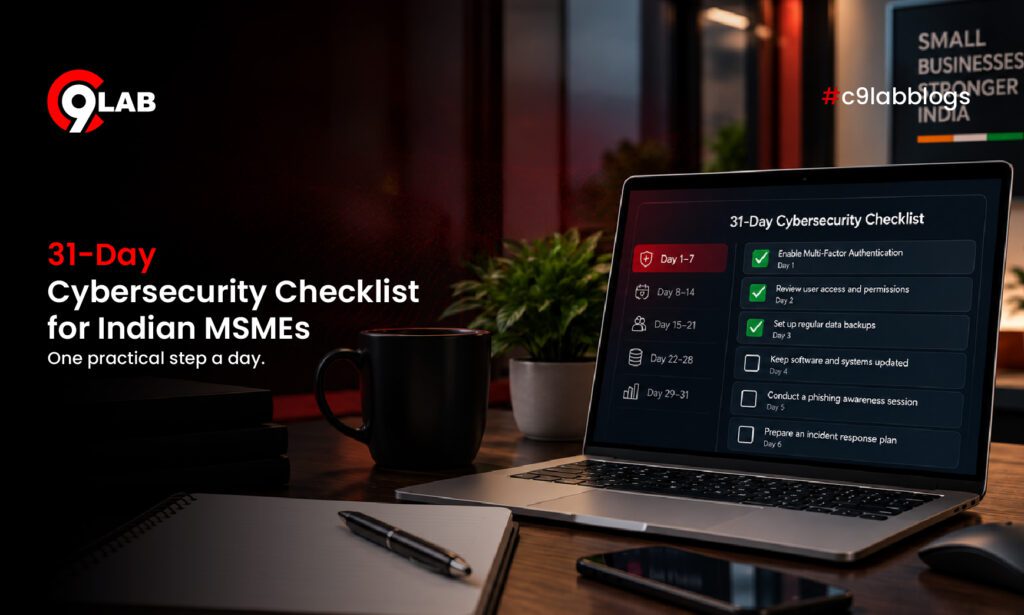
This 31-day cybersecurity checklist for MSMEs breaks security into one manageable action each day.
Week 1: Protect the doors attackers usually try first
First, focus on accounts, passwords and access. These improvements are relatively simple and can remove several obvious entry points.
Day 1 — List your critical systems
Write down the systems your business cannot operate without. These may include email, accounting software, CRM, cloud storage, your website, ERP and payment systems.
Day 2 — Identify administrator accounts
Find out who currently has administrator access. Then, remove unnecessary privileges from employees who do not need them.
Day 3 — Enable MFA on business email
Next, enable multi-factor authentication for Microsoft 365, Google Workspace and administrator accounts.
Day 4 — Stop password reuse
Encourage employees to use a unique password for every business account. A trusted password manager can make this easier.
Day 5 — Remove old accounts
Look for accounts belonging to former employees, interns, contractors and old vendors. Disable any account that is no longer required.
Day 6 — Review email forwarding rules
Unexpected forwarding rules can indicate that an email account has been compromised. Therefore, review unusual mailbox settings regularly.
Day 7 — Review recovery methods
Finally, confirm that password-reset emails, phone numbers and backup accounts still belong to authorised people.
This matters because attackers continue to target cloud identities. In August 2026, CERT-In warned about password spraying, stolen credentials, device-code phishing and Business Email Compromise targeting Microsoft 365 environments.
Week 2: Reduce your technical exposure
Once accounts are better protected, move to the systems attackers can reach from the internet.
Day 8 — Update employee laptops and desktops
Install pending operating system and security updates on employee devices.
Day 9 — Update browsers and applications
Browsers, plugins and commonly used applications also need regular updates. Do not focus only on the operating system.
Day 10 — Check servers and cloud systems
Review servers and cloud workloads for pending security patches. Prioritise critical updates first.
Day 11 — Update your website CMS and plugins
An old WordPress plugin that nobody remembers can still create an entry point. Therefore, update or remove unused plugins.
Day 12 — Check exposed ports
Identify which ports and services are publicly accessible. Close anything your business does not actually need.
Day 13 — Find forgotten websites and subdomains
Old campaign pages, staging environments and unused portals may remain publicly available for years. As a result, they can become overlooked security risks.
Day 14 — Remove unsupported systems
Replace or isolate software that no longer receives security updates.
Day 15 — Check SSL, DNS and domain expiry
Also review your SSL certificate, DNS records and domain expiry dates. These basic checks can prevent avoidable security and availability issues.
CERT-In advises MSMEs to keep operating systems and applications updated. It also recommends scanning internet-facing infrastructure for vulnerabilities and open ports.
This is especially relevant because Verizon’s 2026 DBIR found vulnerability exploitation had become a major initial access route across its breach dataset. Small organisations also continued to face system intrusion, web application attacks and social engineering.
Week 3: Prepare for phishing, ransomware and data loss
Next, focus on what happens if an attacker gets through the first layer of defence.
Security is not only about stopping an attack. It is also about limiting the damage.
Day 16 — Identify your most important business data
Start by deciding which data would cause the biggest problem if your business suddenly lost access to it.
Day 17 — Check where that data is stored
Identify whether critical data is stored on laptops, servers, cloud drives, ERP systems or SaaS platforms.
Day 18 — Back up critical files
Create regular backups of important business information.
Day 19 — Keep one backup isolated
At least one backup should remain separate from your normal systems. This can reduce the impact of ransomware.
Day 20 — Test your backup
Do not simply assume that a backup works. Instead, restore a sample file and confirm that the data can actually be recovered.
Day 21 — Run a phishing awareness session
Use examples employees are likely to recognise, such as fake invoices, password-reset emails, courier messages and urgent payment requests.
Day 22 — Create a payment-verification rule
For example, any request to change vendor bank details should be confirmed through another trusted communication channel.
Day 23 — Make suspicious emails easy to report
Employees should know exactly whom to contact when something looks unusual. A simple reporting process can help your team respond faster.
CERT-In recommends regular offline backups, restoration testing, email filtering, employee security training and routine cyber drills for MSMEs.
A simple example
Suppose an accounts employee receives an email that appears to come from a regular supplier.
“Our bank details have changed. Please use the attached account for today’s payment.”
At first glance, everything may look normal.
However, the supplier’s genuine email account could have been compromised. An attacker may then use that trusted account to request a fraudulent payment.
In this situation, a five-minute verification call could prevent a financial loss.
That is why cybersecurity does not always require advanced technology. Sometimes, a strong business process is the best defence.
Week 4: Find problems before they become incidents
Finally, move from prevention to visibility and response.
The goal is to identify suspicious activity early and know what to do next.
Day 24 — Check for leaked company credentials
Find out whether company email addresses or passwords have appeared in known data leaks. If they have, reset the affected credentials immediately.
Day 25 — Search for similar domains
Look for domains that resemble your company name. Pay attention to misspellings, extra words and unusual domain extensions.
Day 26 — Review your website
Look for unexpected changes, redirects, unknown pages or suspicious content.
Day 27 — Check email security settings
Review SPF, DKIM and DMARC configurations. These controls help reduce email spoofing and improve domain protection.
Day 28 — Review security logs
Look for unusual failed logins, unfamiliar devices and unexpected configuration changes. These signs may indicate suspicious activity.
Day 29 — Create a one-page incident response plan
Keep the plan simple.
Decide who employees should call, who can disable compromised accounts and who handles technical investigation. In addition, identify who will communicate with customers, vendors or authorities if required.
Day 30 — Review CERT-In reporting requirements
Businesses should understand their incident reporting responsibilities before an incident occurs.
Certain reportable cyber incidents must be reported to CERT-In within six hours of noticing them. Organisations can initially provide the information available and supplement it later.
Day 31 — Measure your risk again
Finally, compare your current security position with where you started.
Which problems have been fixed? Which risks still need attention?
This final review helps management understand what improved and what should become a priority next month.
You have finished 31 days. What happens next?
Do not let this checklist disappear into a folder.
Instead, turn the most important tasks into recurring security habits.
Review access when employees join or leave. Patch systems regularly. Test backups. Repeat phishing exercises and monitor internet-facing assets.
In addition, review incident contacts and watch for new domains, leaked credentials or other external exposures.
For businesses without a large security team, the goal is not perfect security.
The goal is to understand your biggest exposures and reduce them step by step.
Start by understanding your current exposure
This is where C9Lab’s Business Risk Score (BRS) can provide a useful starting point.
Instead of manually checking every external signal, BRS helps businesses review areas such as website security, email security, domain protection and dark web exposure.
As a result, business leaders get a simpler view of where attention may be required first.
BRS does not replace the security practices in this checklist. Instead, it helps businesses understand where to begin.
One takeaway
A strong cybersecurity programme does not have to begin with a huge budget.
Start with one meaningful improvement each day.
After 31 days, your passwords, systems, backups, employees, external exposure and response process can all be stronger than they were at the beginning of the month.
Ultimately, the purpose of this cybersecurity checklist for MSMEs is simple: make security practical enough to actually get done.
Start with visibility into your current cyber exposure.



Comments
Join the discussion. We’d love to hear your thoughts.